
Playercounter Live Counter: A Complete Guide for Gamers
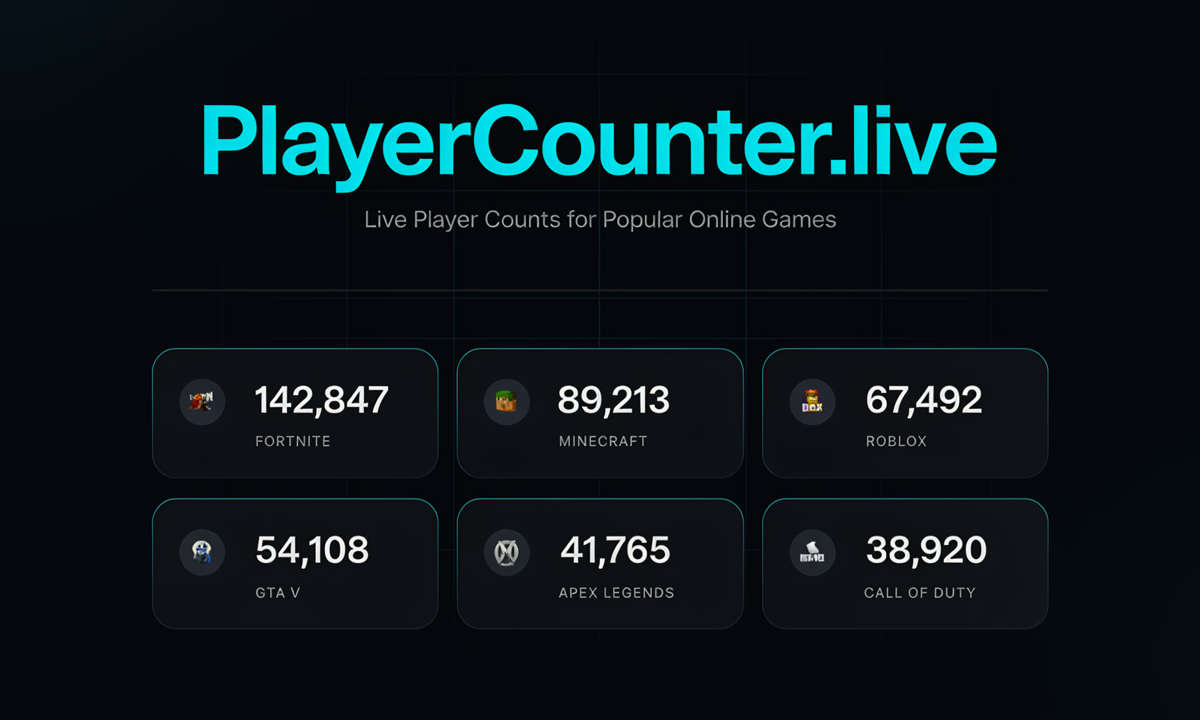
Online gaming communities are constantly changing. Players join, leave, return for updates, and move between different games every day. Because of that, gamers often want to know how active a particular game is at any given moment.
That is where Playercounter Live Counter can be useful. PlayerCounter provides player-count information for supported games and, depending on the title, may also show peak players, averages, percentage changes, and historical statistics.
This guide explains what PlayerCounter does, how its live counters work, what its statistics mean, and how to interpret the numbers sensibly.
What Is Playercounter Live Counter?
Playercounter Live Counter is a web-based gaming statistics service that displays player activity for supported games. PlayerCounter says its service tracks gaming activity and provides information such as live player counts and other game statistics.
The term “live player count” generally refers to concurrent players—the number of people playing a game at roughly the same time. This is different from the total number of people who own or have downloaded a game.
PlayerCounter explains that its live figures are estimates and uses its Gohost Network Protocol (GNP) to estimate active players. Because the figures are estimates, they should be viewed as an indication of current activity rather than an unquestionable official total.
What “live player count” means
A live player count generally refers to an estimate or measurement of how many players are active in a game around a particular moment.
However, “live” does not always mean that the number changes every second. Some counters refresh periodically, so there may be a short delay between actual activity and the number displayed on the page.
Why gamers track player numbers
Player numbers can provide useful context about a game’s current activity. Gamers may check them before starting a new game, returning to an older title, or deciding whether a multiplayer community appears active.
Player counts can also help people notice broader trends, such as increases in activity following a major update or a decline after interest in a game decreases.
How Does Playercounter Live Counter Work?
A Playercounter Live Counter collects available player-activity data and presents it in an easy-to-understand format. Depending on the game, the underlying information may come from publicly accessible statistics, platform data, developer information, or other tracking methods.
When you open a game’s statistics page, you may see a current player figure along with additional information such as peak activity or historical numbers.
It is important to understand that different games can have different data sources. A counter should therefore be treated as a useful indicator of activity rather than automatically assuming it represents every player across every platform.
What Information Can You Find on Playercounter?
The exact information varies from game to game, but a Playercounter Live Counter may provide several useful statistics.
- Current player counts: Shows the number of players currently active or the latest available player estimate.
- Peak players: Indicates the highest recorded player activity for a particular period when this information is available.
- Game activity and trends: Helps you see whether activity appears to be increasing, decreasing, or remaining relatively stable.
- Historical statistics, where available: Older player-count information can provide additional context about how a game’s community has changed over time.
How to Use Playercounter Live Counter
Using a Playercounter Live Counter is generally straightforward. You mainly need to find the game you’re interested in and examine the available statistics.
- Finding a game: Search for the game on the Playercounter website or browse its available game listings.
- Reading the live counter: Look at the current figure while remembering that it may represent recently collected or estimated data.
- Understanding the statistics: Compare the current count with peak or historical figures when those numbers are available.
- Checking player activity over time: Historical data can help you identify longer-term changes instead of relying on a single moment.
Why Do Gamers Use Live Player Counters?
Live player counters can answer questions that are difficult to judge from screenshots or advertisements alone. They provide a numerical indication of activity that can complement a gamer’s own experience.
- Choosing active games: Players can use activity figures as one factor when looking for multiplayer games with active communities.
- Checking whether a game is still popular: Current and historical figures can provide context about ongoing interest.
- Comparing player activity: Gamers can compare available statistics for different games to understand how their communities differ.
- Following changes in a game’s community: Player numbers may change after updates, new content, seasonal events, or other major developments.
Playercounter for Different Gaming Platforms
Player-count data is not equally available across every gaming platform. The information shown by a Playercounter Live Counter can depend on how a particular game publishes or exposes its player statistics.
- PC games: Some PC games have publicly accessible player statistics, making activity easier to track.
- PlayStation and Xbox: Console games may have fewer publicly available real-time statistics, so coverage can vary.
- Mobile games: Mobile titles can be especially difficult to track because developers may not publicly release complete live-player information.
- Cross-platform games: A game’s displayed statistics may cover only certain platforms or data sources rather than representing every player worldwide.
How Accurate Is Playercounter?
A Playercounter Live Counter can be useful, but its numbers should be interpreted with some caution. “Live” generally means that the information is updated regularly or represents the latest available data; it does not necessarily mean a perfect second-by-second measurement.
- What “live” means in practice: Data may refresh at intervals rather than continuously.
- Possible delays or estimation: Technical delays or estimation methods can cause the displayed number to differ from the exact number of active players.
- Differences between platforms: A counter may have better data for one platform or game than another.
- Why third-party counters may not exactly match official figures: Third-party services and game developers may use different data sources, definitions, collection methods, and update schedules.
Playercounter vs. Official Game Statistics
There is an important distinction between third-party player counters and statistics published directly by a game developer or platform.
- Third-party counters: These services collect, process, or display available player information in one place. They can make it easier to compare games and monitor activity.
- Official developer/publisher statistics: Developers or publishers may have access to internal data that is not publicly available through third-party services.
- Differences in methodology: Two sources may define “active players,” measurement periods, or peak activity differently.
- Which figures are available publicly: Some developers publish detailed statistics, while others disclose little or no real-time player information.
Benefits of Tracking Live Player Counts
A live player counter can be a helpful research tool for gamers who want more information before investing time in a multiplayer title.
- Discovering active games: Player activity can help you identify games with currently active communities.
- Understanding player trends: Historical statistics can show how activity has changed over time.
- Monitoring game popularity: Changes in player activity can provide one measurable indicator of community interest.
- Making informed gaming choices: Player counts can be considered alongside gameplay, reviews, community quality, price, and personal preferences.
Limitations of Live Player Counters
Although live player statistics are useful, they are not perfect. The biggest limitation is that not every game or platform provides the same level of public data.
- Data availability: Some games simply don’t provide enough public information for detailed tracking.
- Update delays: A displayed figure may lag behind real-time activity.
- Platform-specific limitations: Statistics may cover only a particular platform or source.
- Estimated versus official numbers: Some figures may be estimates rather than direct counts supplied by the developer.
Tips for Using Playercounter Effectively
To get more value from a Playercounter Live Counter, avoid looking at a single number in isolation.
First, check the current player count and then look for peak and historical statistics. A game with a lower current count may still have a healthy community if its activity is consistent over time.
It is also useful to consider when you are checking the counter. Player activity can vary significantly depending on the time of day, day of the week, region, holidays, and major in-game events.
When comparing games, make sure the statistics are based on comparable data. If one figure represents a single platform and another represents multiple platforms, the comparison may be misleading.
Finally, combine player-count information with other factors such as gameplay quality, matchmaking experience, update frequency, reviews, and whether the game fits your interests.
Final Thoughts on Playercounter Live Counter
A Playercounter Live Counter gives gamers a simple way to explore player activity and understand how active different games appear to be. Current counts can provide a snapshot, while peak and historical statistics can add valuable context.
At the same time, player numbers should not be treated as absolute proof of a game’s popularity or quality. Data coverage, platform differences, update delays, and estimation methods can all affect the figures you see.
The most useful approach is to treat Playercounter as an information tool. Check the current numbers, explore historical trends when available, understand what the data represents, and combine it with other information before making a gaming decision.